Tara Singh
When working remotely from the road or even just streaming from time to time, having a number of connections available is key. For much of last year, I tracked over 200 individual Wi-Fi connections from 14 different countries, learning a number of patterns that allow for reliable connectivity in most places and instances. Here’s what I’ve learned.
How Reliably Can You Use Hotel Wi-Fi?
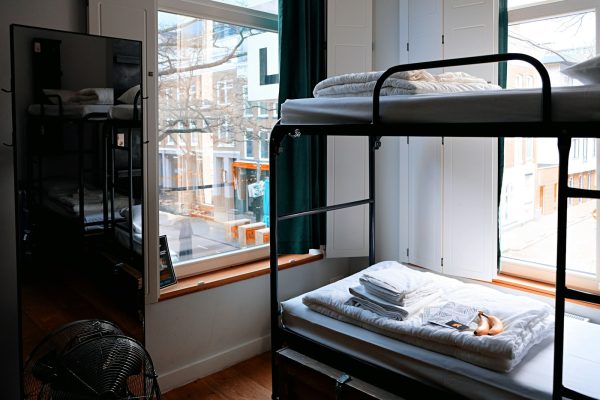
So here’s the scoop on hotel Wi-Fi in the Western world. In the cheap to mid-range modern Western hotel chains (think Marriott Courtyard and Residence Inn, Hilton Garden Inn and Hampton Inn, IHG Holiday Inn Express and similar) they generally run 50-200mbps Wi-Fi for video conferencing and general work. I have personally found that the Marriott chain has decent Wi-Fi, followed by Hilton, and then generally the decent Wi-Fi at the IHG Holiday Inn Express tier and above hotels. I have found that the luxury hotels (where they oversell the Wi-Fi) and most of the independent hotels in Europe generally have horrible Wi-Fi. And, in the end, many of the hotels are just old buildings with retrofitted routing. So in the cases where hotel Wi-Fi is unreliable, test it within 10 minutes of arrival at the hotel, and if it does not work for your minimum needs, switch to your cellular hotspot for the rest of your stay. And remember to book the hotel early to ensure that you get a room that can handle video conferencing work, because if you wait until the last minute to book, you may end up with a room that can only handle basic web browsing.
Cafe Wi-Fi quality varies wildly
In remote-work hubs like Lisbon, Bali, Mexico City, and Buenos Aires, cafes in the specialty coffee scene have invested a lot in real connectivity. These cafes are where lots of remote workers hang out, work with fast Wi-Fi (50 Mbps to 100 Mbps), stable connections and hold video calls without any issues. They charge higher prices for their coffee than in other regular cafes and expect customers to order something every 90 minutes or so. These are great places to work remotely, but they can be expensive.
Wait 3-4 months to see if confirmed flights actually depart around 70% of the time.
Cellular hotspot: the most reliable fallback
Local SIMs with dedicated hotspots of 20 GB per month for tethering work amazingly well for road workers and are surprisingly very inexpensive. The reason why 5G is good for hotspot tethering on the road is because for work, the absolute limit of a 20 GB monthly allocation isn’t typically speed, but data itself, and in places where 5G has already rolled out and is quite mature such as SK in South Korea, greater China, Tokyo, and the West (from Norway down to Israel), then all sorts of public cafe Wi-Fi networks will typically offer similarly high-quality connections (for free). What 5G has also done is dramatically alter how to best decide upon which type of connection to bring to any given location: a local SIM’s hotspot connection typically for instance will always now match or indeed usually greatly exceed the very best public cafe hotspot connections too for all road workers worldwide. Roaming via local dedicated hotspots are then naturally very cost effective in these areas – for example a $50-per-month for 20GB monthly allocation of dedicated hotspot tethering with 5G on a local SIM of his or her own in a foreign country would for example work out to be $83-per-month after hundreds of dollars in excess of expected charges for just 90 days of roaming with the home-number SIM all the time previously with tethering for work as normal at home – this would then naturally in that situation cost far too much and is clearly not cost effective enough. An eSIM of course for travelers abroad for longer periods would work just fine for work. In areas where 5G has not rolled out yet then things then naturally revert back to their previously well traveled ways before 5G — utilizing cafe hotspots. This then naturally makes local dedicated SIM’s cost effective only for trips longer than roughly a few days when compared with bringing the home number on and all tethering as normal for work when back at home prior to departure. That is to say obviously – naturally sufficient local coverage must first be confirmed for the SIM area of intended travel in advance, too, obviously.
Dedicated mobile routers and travel routers
Travel routers are great as they enable you to connect to the hotel Wi-Fi once and then share this connection with all your other devices. In the past, we have recommended using Travel Routers as they provide an additional layer of security, such as all your devices connecting to the same Wi-Fi network, as opposed to the public hotel network. Here at BackpackerHub, we recommend the GL.iNet Beryl and the TP-Link travel routers, both are extremely light weighing in at 3 oz to 4 oz (80g to 110g) and are small enough to fit in your pocket or in a small pouch on your backpack. We realize that dedicated mobile hotspot devices such as the Skyroam, GlocalMe, etc. international hotspot rentals have their use, but for most travelers, their use is limited and the price is not justified when they can simply use their eSIM or tether their phone for the same result. The cost of a good quality Travel Router is between $50 and $80. As previously stated, it will cost you that much to buy one, but then it will pay for itself within the first trip as it will simplify the setup of all your devices to the one connection of the hotel Wi-Fi.
VPN, security, and the public-Wi-Fi reality
That the vast majority of websites use HTTPS these days means public Wi-Fi is much safer than it used to be. That is not to say that there is zero risk. There is risk of someone who has set up a rogue access point to intercept your traffic for instance. This can be mitigated in many places by asking for the password for the public network and checking that the network you have been told is actually the one that your laptop / tablet / smartphone connects to. For serious users of public internet such as those who conduct banking or accounting, a VPN service from a reputable provider such as NordVPN, ExpressVPN or Mullvad is highly recommended. Note that for users of public internet who experience problems accessing certain websites when abroad, a VPN service with servers in the country where you wish to appear to be will often fix the problem. It is always best to check that the service you are subscribing to does support the country in question. Many travelers learn the hard way that they did not check before buying their subscription.
Sofia added this note to my Editor’s Note about all the things that I got right about the worst of public Wi-Fi. The real secret, as shared by a local guide, is very different to what you read in every travel guide.
Practical takeaways for your next trip
Develop a list of items to pack 24 hours before you leave for your trip and stick to it. In addition to the usual suspects such as your passport, your charger, any prescriptions you may require, scanned copies of important documents and contact for your first night’s accommodation, there are a number of other items that you should include in your checklist to ensure that you have a smooth trip. For example, packing cubes can help to keep your bag organized, and having a single charger that can be used to power all of your devices can save a lot of space. Travel becomes easier as you develop your own system for getting ready for a trip and stick to it. In addition, be sure to test out any new gear or strategies on a short trip before relying on them for an extended period of time. Just because something works for a weekend, doesn’t mean that it will work for three weeks.
Reviewer: Sofia Almeida. Cross-checked with author’s personal experiences.
Editor’s Note: The article was reviewed against appropriate primary sources, official statistics and information gathered from remote workers and other travelers where applicable. Information regarding pricing, routes and services were verified where possible before being published. If you notice any errors or have suggestions then please let us know through our Contact page and we will look into the matter as quickly as possible. Our full Editorial Standards and Fact-Checking Policy can be found here.